Features
Document management in Google Drive
Metadrive is a dashboard for your documents that boosts team collaboration with advanced findability options.
Workflows that connect people with processes
Define tasks, assign owners and control the execution of every step without leaving Google Drive.
Learn more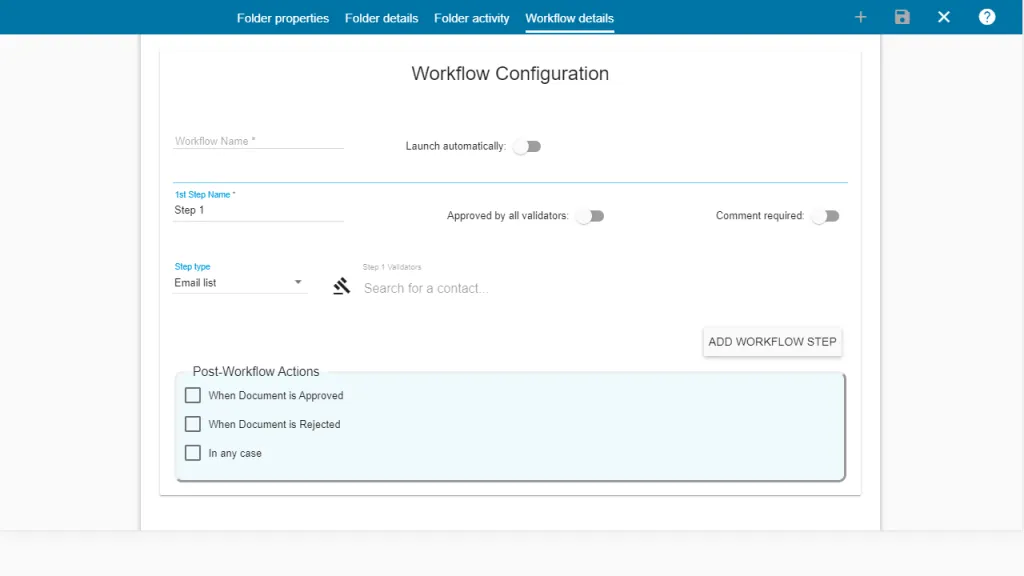
Edit your images in the cloud
Crop, add text, apply filters and add your logo straight from Metadrive.
Learn more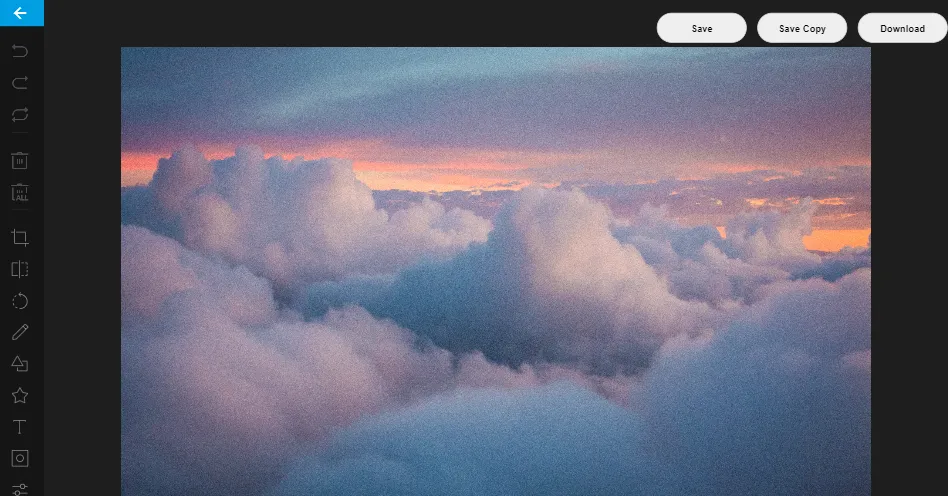
All features
Workflows
Set the tasks, involve your team, increase productivity and control the execution of every task.
Learn more: WorkflowsCustom metadata
Text, number, choice, date, date & time, lookup or contact properties, plus system metadata like “last viewed by me”.
Learn more: Custom metadataCustom views with filters
Choose which metadata is displayed, combine multiple filters on one property and embed views in Google Sites.
Learn more: Custom views with filtersDatasheet view
Bulk metadata editing in a spreadsheet-like grid — perfect for migrations.
Export metadata in bulk
Download a spreadsheet with all the metadata of your files from the datasheet.
Real-time synchronisation
Get notified when a co-worker changes something in the folder you are working in.
Photo editor
Crop, flip, add text and shapes, apply filters and add your logo — all in the cloud.
Learn more: Photo editorGoogle Drive comments
Work with Drive comments on any file, filtered by status, author and mentions.
Copy folder structure
Duplicate a template folder tree — subfolders and files included — to start projects in seconds.
Learn more: Copy folder structureActivity
See what other users have done in your Google Drive folders and Shared Drives.
Learn more: Activity3D file preview
Preview GLB 3D files right from the properties panel.
Shared Drives integration
Fully integrated with Google Shared Drives (formerly Team Drives).
Learn more: Shared Drives integrationViews manager
Create several views per folder for quick navigation, each with its own layout, filter or search.
Learn more: Views managerAll documents
Display every document in a folder hierarchy as a flat list, without folders.
Search inside folder
Accurate results limited to the current folder, combinable with metadata filters.
Custom templates
Create copies of your templates — with metadata — directly in the current folder or Shared Drive.
Learn more: Custom templatesMetadrive Home
Quick access to recent folders, your own workspace and a common domain workspace.
Learn more: Metadrive Home
Start organising your Google Drive today
Free for up to 5 users. No credit card, no migration.